Mohsen Parchami

Junior Gameplay Developer & Technical Designer

I build combat systems, editor tools and levels in Unity and C#.

25,000+

copies sold of Murmurs of the Mist on Steam

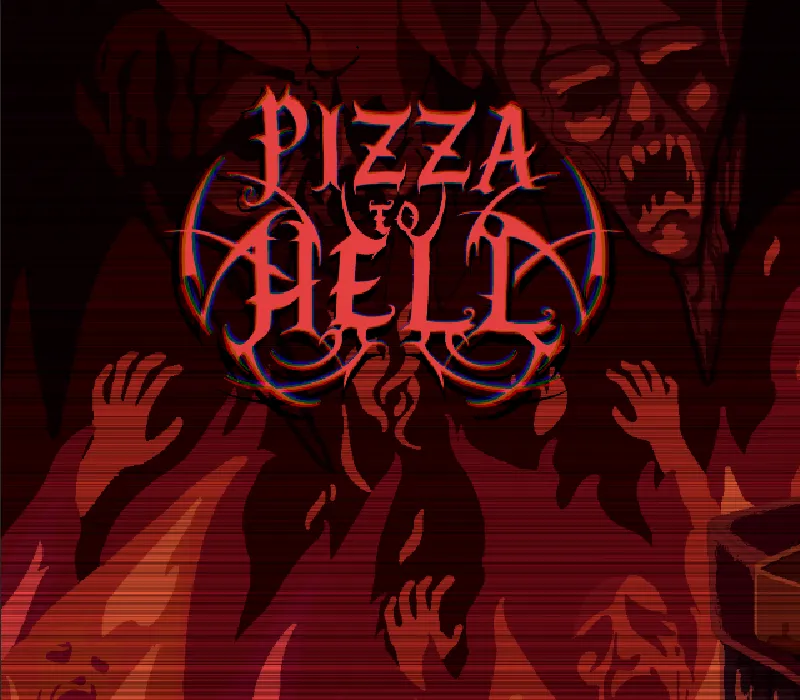
Pizza to Hell

combat, parry and editor tooling, in development

Playable · Pizza to Hell parry

Projects

Murmurs of the Mist gameplay Live on Steam

Unity, final semester, team project

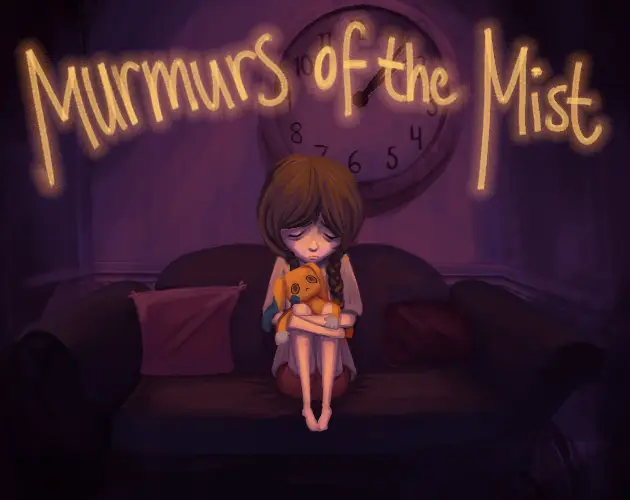
Murmurs of the Mist

A psychological horror game with a heart: a young girl searching her own head for answers about her emotions and trauma. The centerpiece is a chase built to feel like a panic attack.

  • Level design and layout
  • Core chase sequence, from concept to implementation
  • Camera system and transitions
  • Jump and dash
  • Voice-over and sound integration
  • Lighting and post-processing
  • VFX and shader work
Pizza to Hell combat In development

Unity 6 HDRP, PSX look, team project

Pizza to Hell

A PSX-inspired melee combat game. Combat is fully data-driven: every attack, combo and weapon is a ScriptableObject, so new content needs no code.

  • Combat and combo system architecture
  • Editor tooling: visual timeline, hitbox gizmos, weapon authoring
  • Parry system and enemy AI states
  • Streak HUD and custom HLSL shaders

Technical Systems

Systems I designed and built, shown in motion. Pick a project, then a system.

Murmurs of the Mist · Camera
Unity

Camera System

Several Cinemachine cameras, run by one handler script. Trigger zones hand the game to a Timeline, and each blend between front, side and back views is tuned by hand, so walls close and new hazards appear only once the camera is in place. The monster stays hidden, apart from dark fragments when it gets too close.

Unity, C#

Dev commentary

The camera kept showing the skybox

The chase runs through a tight hallway, and the cameras kept swinging outside the level. Confiner volumes lock each camera to the space it’s allowed to move in.

Triggers fired before the camera arrived

One trigger switched cameras and changed the level at the same moment, so players could see walls move. Each trigger now has an optional delay, set per trigger in the Inspector, so changes happen once the blend has finished.

Murmurs of the Mist · Movement
Unity

Movement Mechanics

Jump and dash; the rest was a team effort. No UI explains the dash, just a short tip, a sound, a flash and a cooldown ring at the player’s feet. Playtests killed the first, timing-based version, so it became a plain tunable cooldown. In the glue section the dash is disabled while the monster closes in, timed so the player breaks free just in time.

Unity, C#

Dev commentary

Nobody needed a timing puzzle on the dash

The first dash fired at intervals you had to time. Playtests showed it was complicated without adding anything, so it became a plain cooldown with tunable distance, speed and recovery, shown only by a ring at the player’s feet.

Murmurs of the Mist · Shaders
Unity

Shaders

All Shader Graph. The dash cooldown is a ring that fills around the player’s feet, wired straight to the dash values. Glass bottles refract what’s behind them, and marbles roll by with reflective surfaces. The standout is the glue, which ripples around the player and follows them while they’re stuck. Simple, but it stuck with players.

Unity, Shaders

Murmurs of the Mist · Lighting
Unity

Lights and Post Production

Eerie, not just dark: a darker blue baked directional light under red local lights, blending into purple. Warm set-piece lights pull the player toward clues and puzzles. In the chase, the drawer’s toys light the way, and a flashlight throws the monster’s shadow on the wall before the monster arrives, gaining on the player’s shadow. A green light marks the exit.

Unity, Post-processing

Dev commentary

Show the shadow before the monster

A flashlight behind the player throws both shadows on the wall ahead. The monster’s shadow appears first and gains on the player’s, so the threat is felt before it’s seen.

Pizza to Hell · Combat
Unity 6

Combat System

Data-driven melee with light and heavy attacks, combos and dodge. Every attack is a ScriptableObject, so timing windows, hitbox phases and animation are tuned per asset in the Inspector. Input buffering keeps combos responsive mid-animation.

Unity 6, C#, ScriptableObjects

Dev commentary

Combos with the same opener never fired

Combos were matched in list order, so with LLL, LLH and LHH, any light opener defaulted to LLL and the other light-opener combos were unreachable. Matching now works like a tree: each input picks a branch, so every combo that shares an opener can be reached.

Button mashing skipped the combo

Mashing ran straight through combos and ignored the timing windows, and any input inside a window cut the current attack off mid-animation. A buffer (_pendingStepIndex) now holds a valid input until the current attack reaches its exit phase, then plays the next one, so each attack flows into the next instead of hard-cutting.

Pizza to Hell · Parry
Unity 6

Parry System

A timing-based parry with spark feedback that knocks the enemy into a stagger state. The parry window lives in data, so designers tune startup and recovery per weapon.

C#, Enemy AI states, Particles

Dev commentary

Two parry scripts became one

One script handled the timing window, the other the hit check. Different jobs, but for the same mechanic, so there was no reason to keep them apart. They were merged into ParryHandler, which raises one event on CombatEvents, and the enemy AI handles its own stagger.

Pizza to Hell · Editor Tool
Unity 6

Custom Editor Tool

A custom Unity window for authoring weapons and attacks. Drag phase markers on a timeline, preview hitbox gizmos live in the scene and tune combo sequences in one window.

Unity EditorWindow, Gizmos

Dev commentary

Retiming an attack meant touching the animation

Making a swing snappier meant editing the clip or its FBX import. Now each attack has speed multipliers for startup, impact and recovery, and the tool remaps clip time per phase, so a windup can be cut without re-exporting anything.

Tuning combos needed Play mode

Every exit-window or crossfade tweak meant entering Play mode and performing the combo by hand. The tool samples the whole chain in edit mode, so you scrub it on a timeline and see the pose in the Scene view, with crossfade presets (Smooth, Standard, Snappy) and a fine-tune slider.

Pizza to Hell · VFX
Unity 6

Streak HUD and Shaders

A combo streak HUD where attack icons fly into a row and combo names dissolve out, using a dissolve shader written in HLSL. The panel glow is HLSL too, since HDRP blocks Shader Graph on Canvas.

HLSL, TextMesh Pro SDF

Dev commentary

Shader Graph wasn’t an option

HDRP doesn’t support Shader Graph on UI canvases, and the fullscreen PSX pass never reaches screen-space UI. So the HUD shaders are HLSL, written with Claude Code, with the PSX posterised edge built into the dissolve.

About

Mohsen Parchami

Hi, I'm Mohsen. I build gameplay systems and tune them until they feel great to play.

I work as both designer and developer, with a focus on C# and OOP. My engineering background gives me versatility, and the use of AI tools in my workflow keeps me working efficiently.

Swedish, English, Farsi

Skills

Gameplay programming

  • UnityEngine
  • C#Language
  • Godot / GDScriptEngine, scripting
  • Combat systemsGameplay
  • Editor toolingUnity Editor
  • OO architecturePatterns
  • Unreal EngineBasics

Design

  • Game designGameplay feel
  • Level designLayout, pacing
  • Narrative designStory beats
  • UI / UX designInterface

Visual and audio

  • VFX and shadersHLSL
  • Lighting and post-FXMood
  • Sound and voice-overIntegration

Workflow

  • Git / GitHubVersion control
  • Claude CodeAI workflow
  • MCP toolingAutomation
  • CAD, MagiCADFrom engineering